EDAM
Your dashboard, wherever you are
Your EDLD dashboard on your Android phone or tablet: your ship, your session and your route at a glance, and your ship's controls within reach.

ED Live Dashboard
The commander dashboard for Elite Dangerous
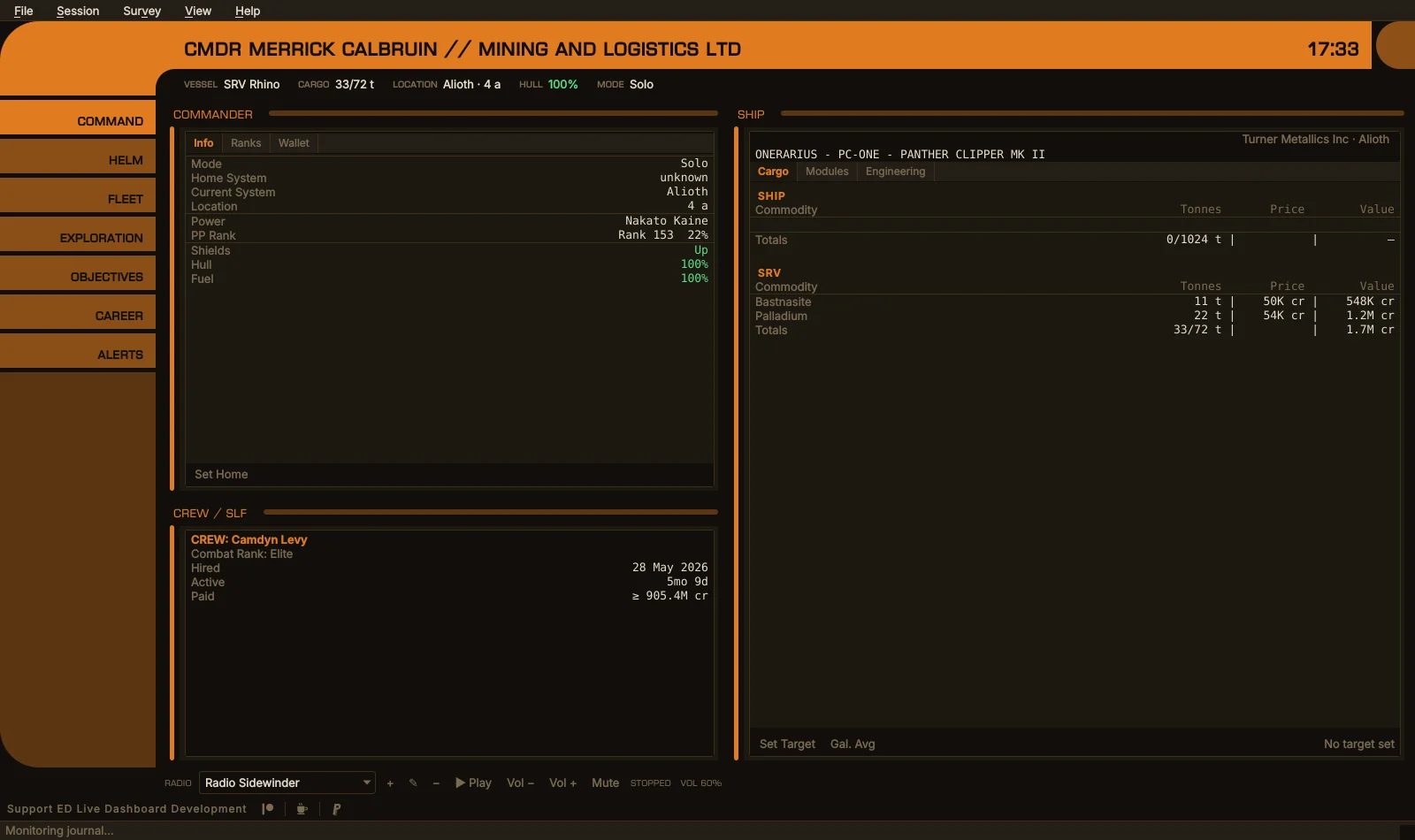
EDLD reads the journal Elite Dangerous writes as you play and turns it into a live picture of everything you do: combat, trade, mining, exploration, exobiology, missions, PowerPlay and on foot. It tracks the session you are flying now and the career behind it, plans and follows your routes, and tells you the moment something needs your attention: shields down, hull taking damage, fuel running low, a fighter lost. When you want it to, it puts your ship’s controls on buttons as well.
It runs beside the game on Linux, Windows and macOS, is free and open source, and keeps everything it records on your own computer.
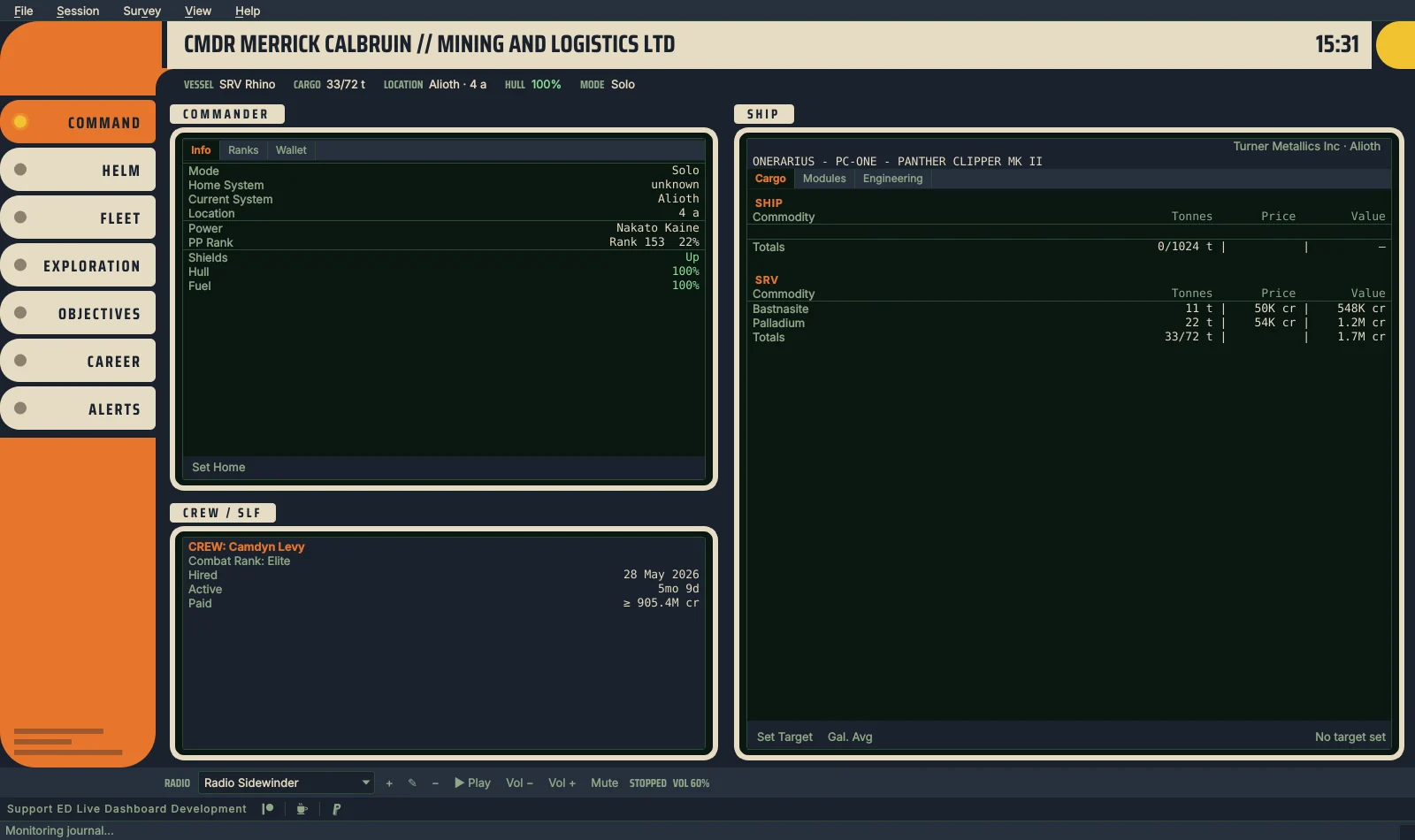
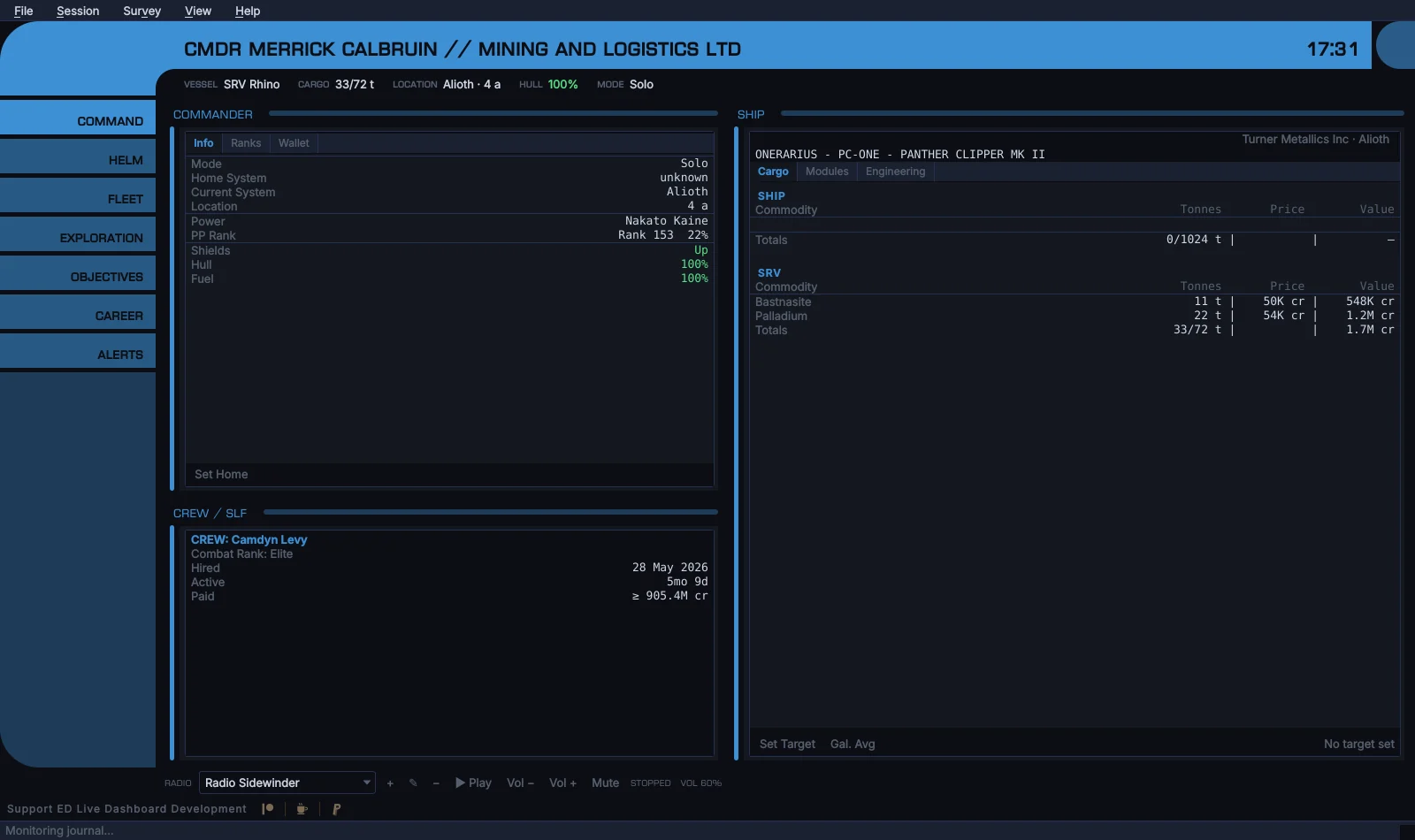
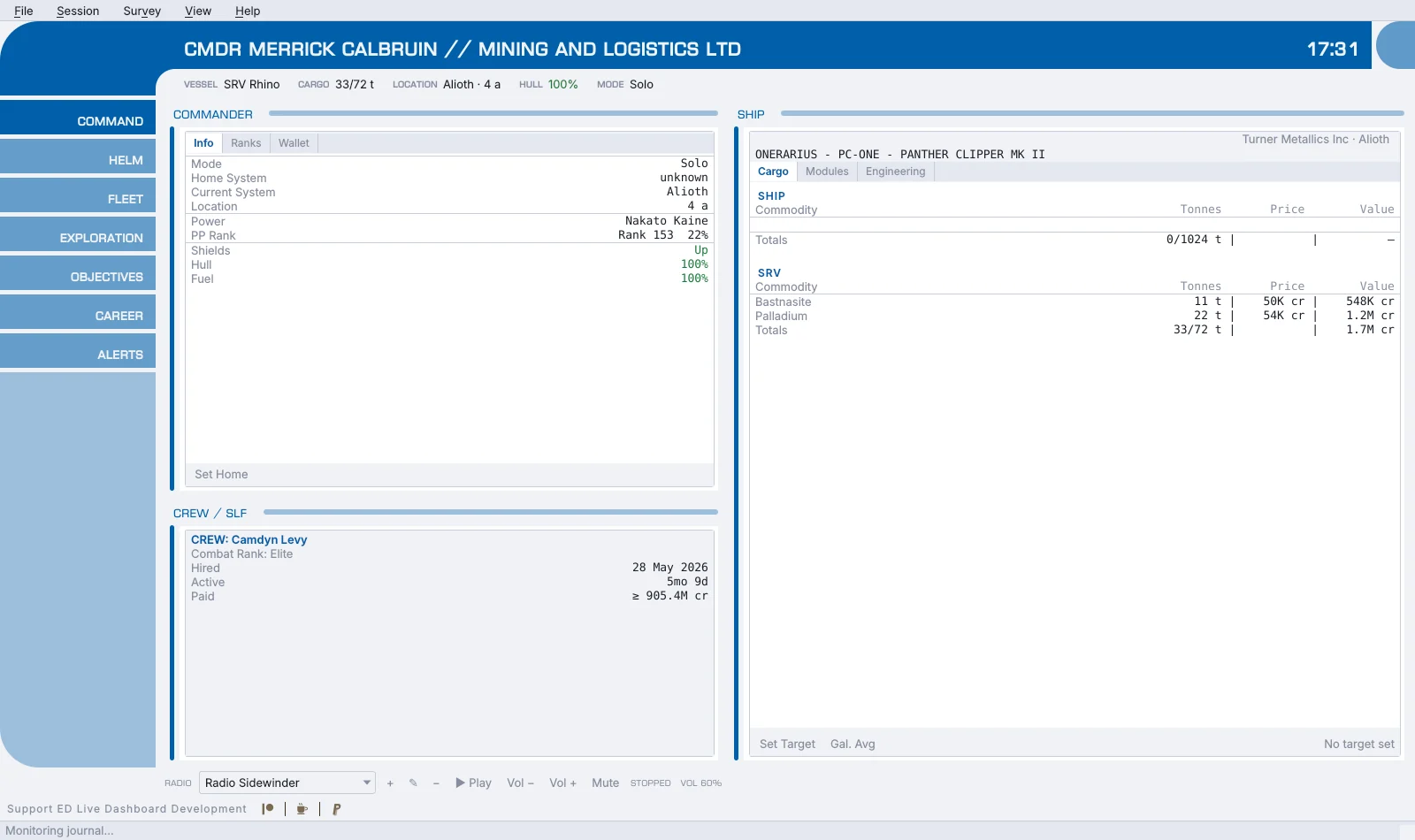
EDCARS is the desktop window drawn as a ship’s console, and it is what EDLD
opens by default. A header band keeps your commander and squadron, vessel
(or SRV, fighter or suit on foot), cargo, location, fuel, hull, game mode and
the time in view. A rail down the side moves between eight sections:
Command, Helm, Fleet, Exploration, Objectives, Mining, Career and Alerts. Each
one frames the windows that belong together, at a size where they can
breathe, and Ctrl+1 to Ctrl+8 jump straight to them. An urgent alert flashes the
Alerts pill and holds it red until you look, or switches straight to it if
you prefer. The radio runs along the foot, under whichever section is
showing.
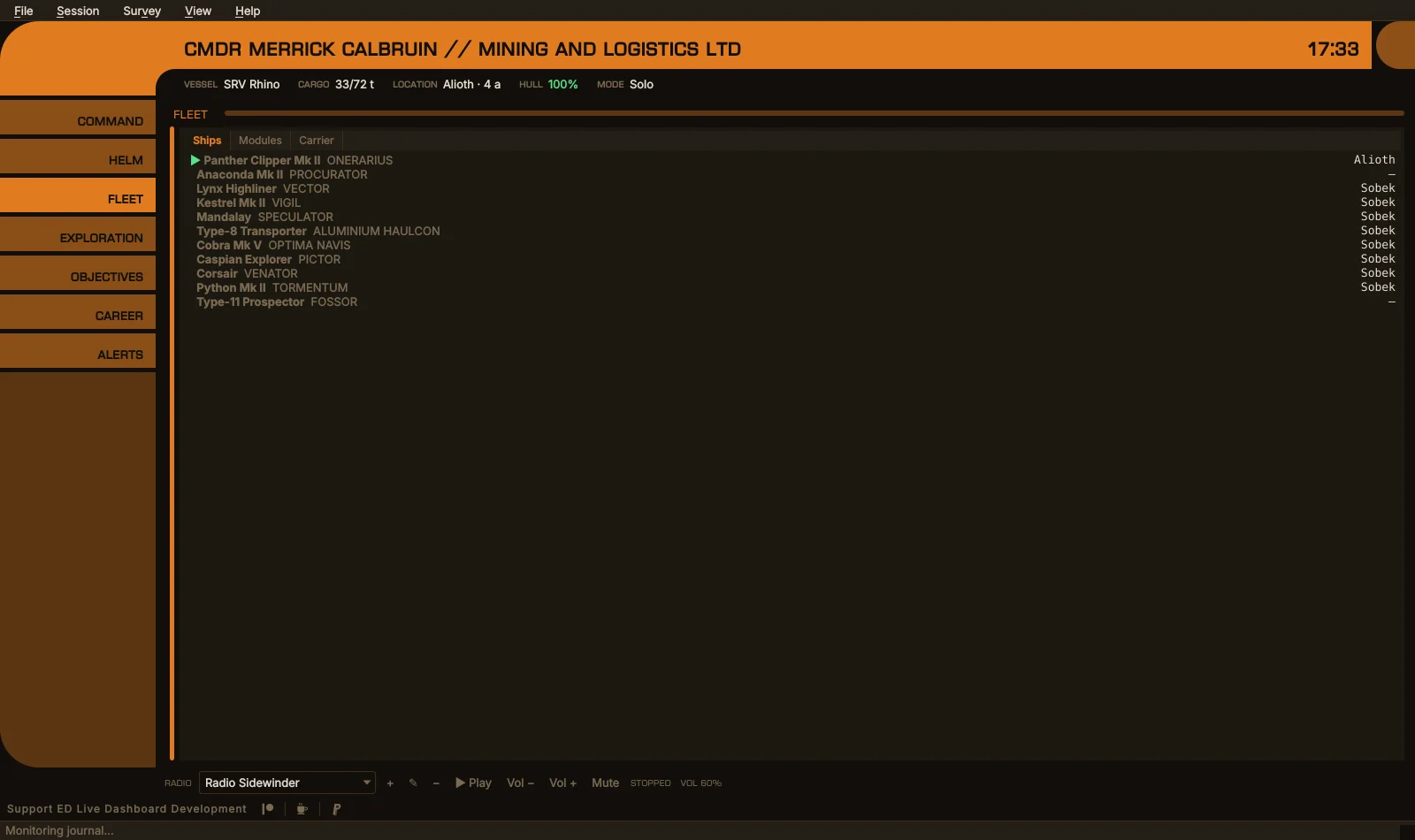
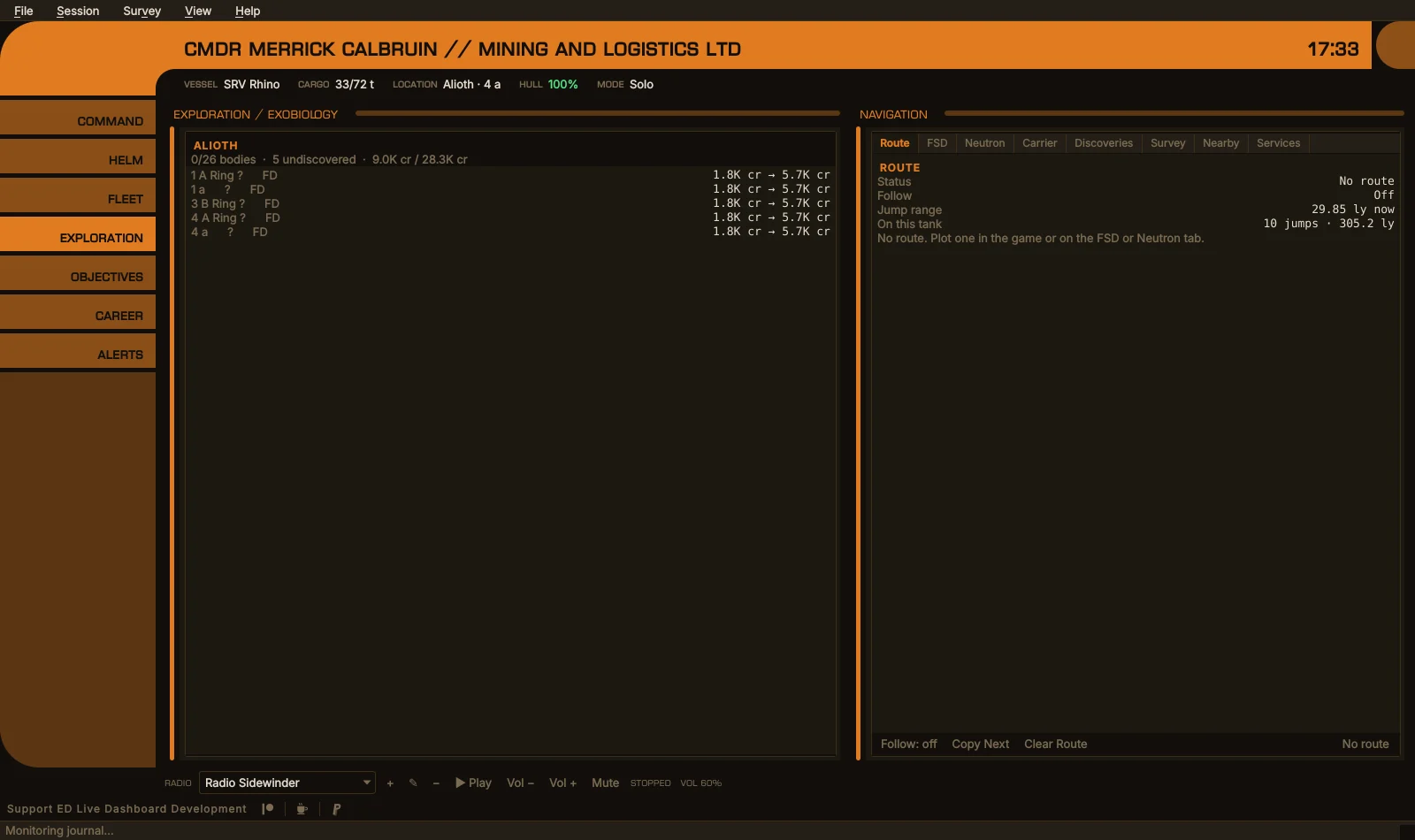
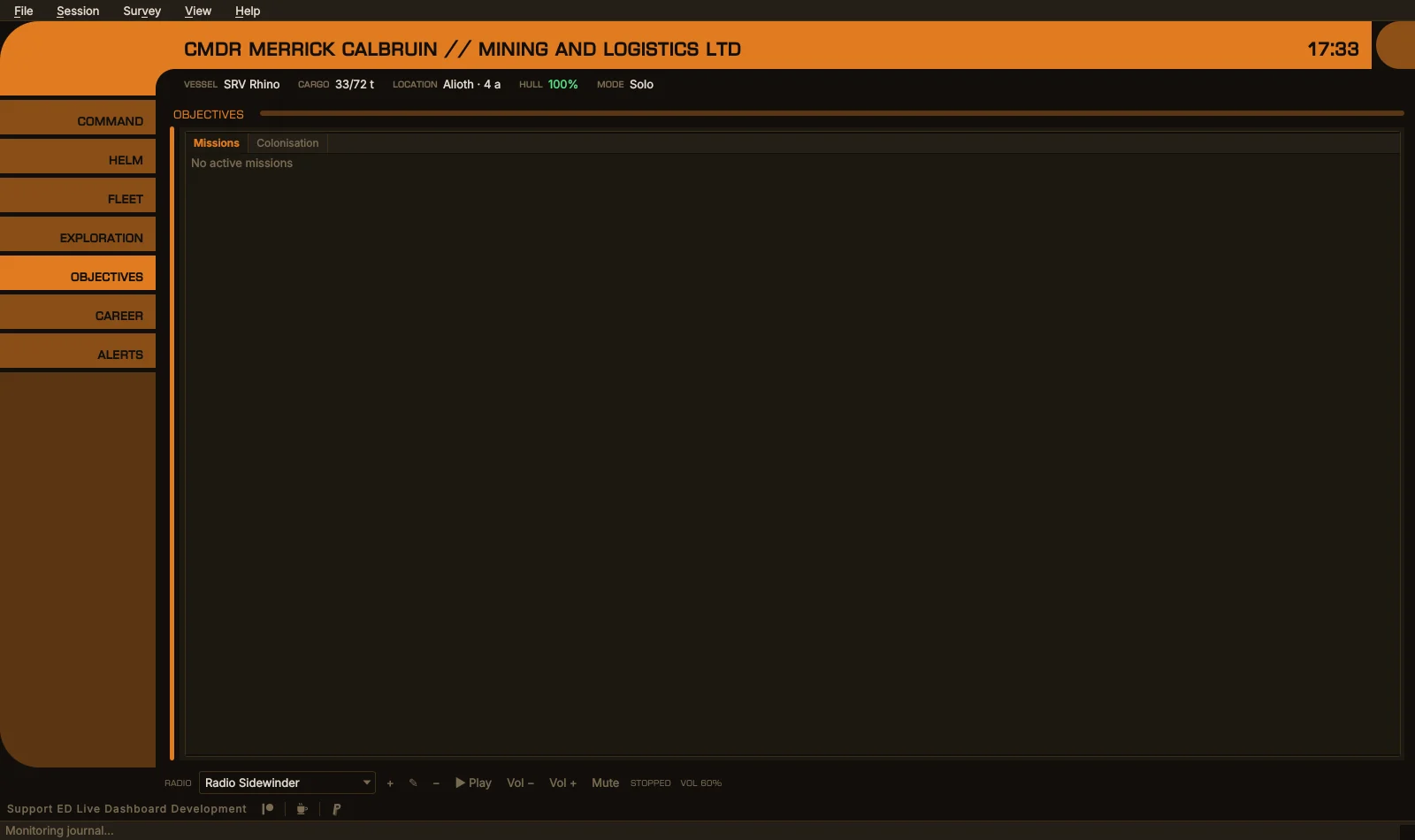
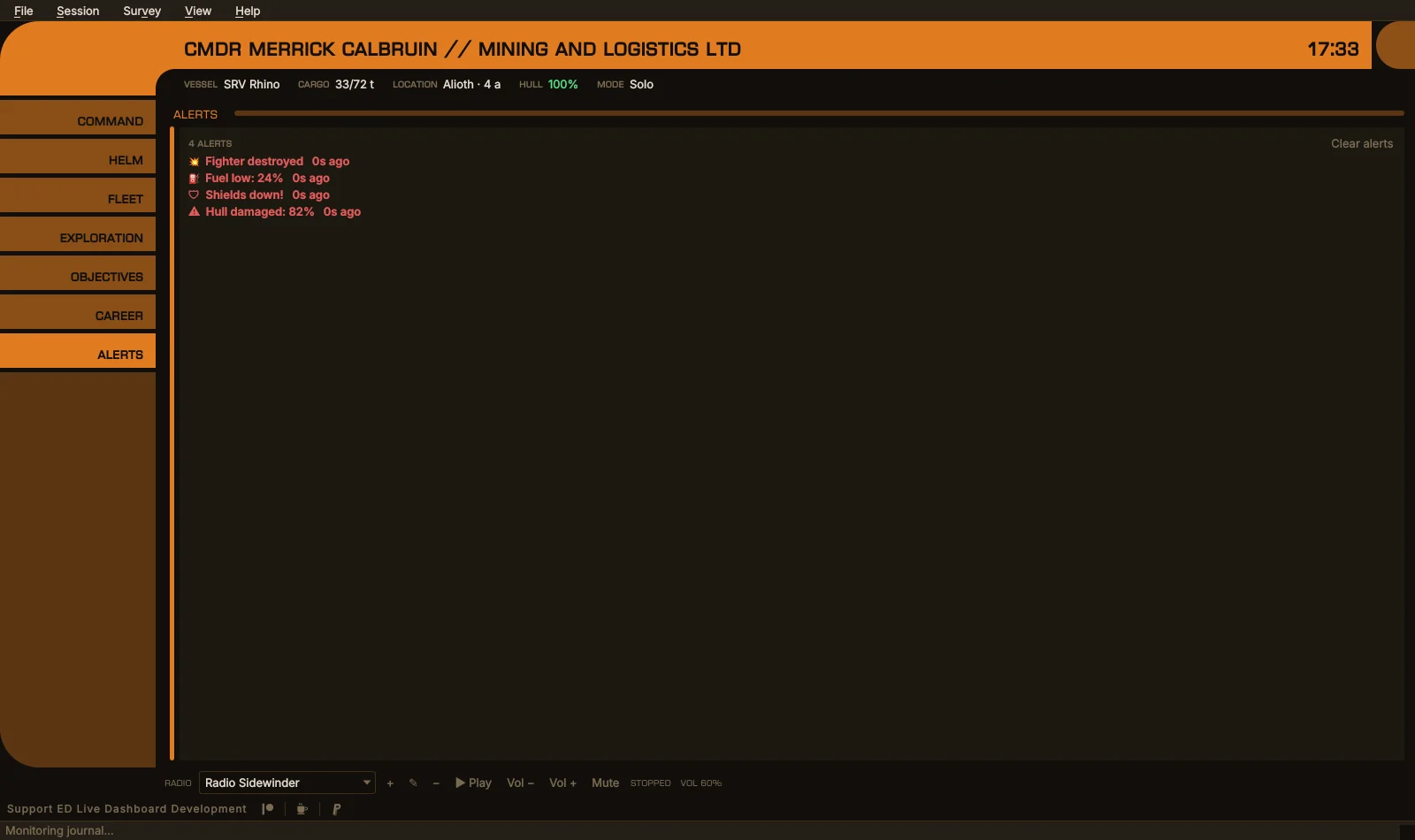
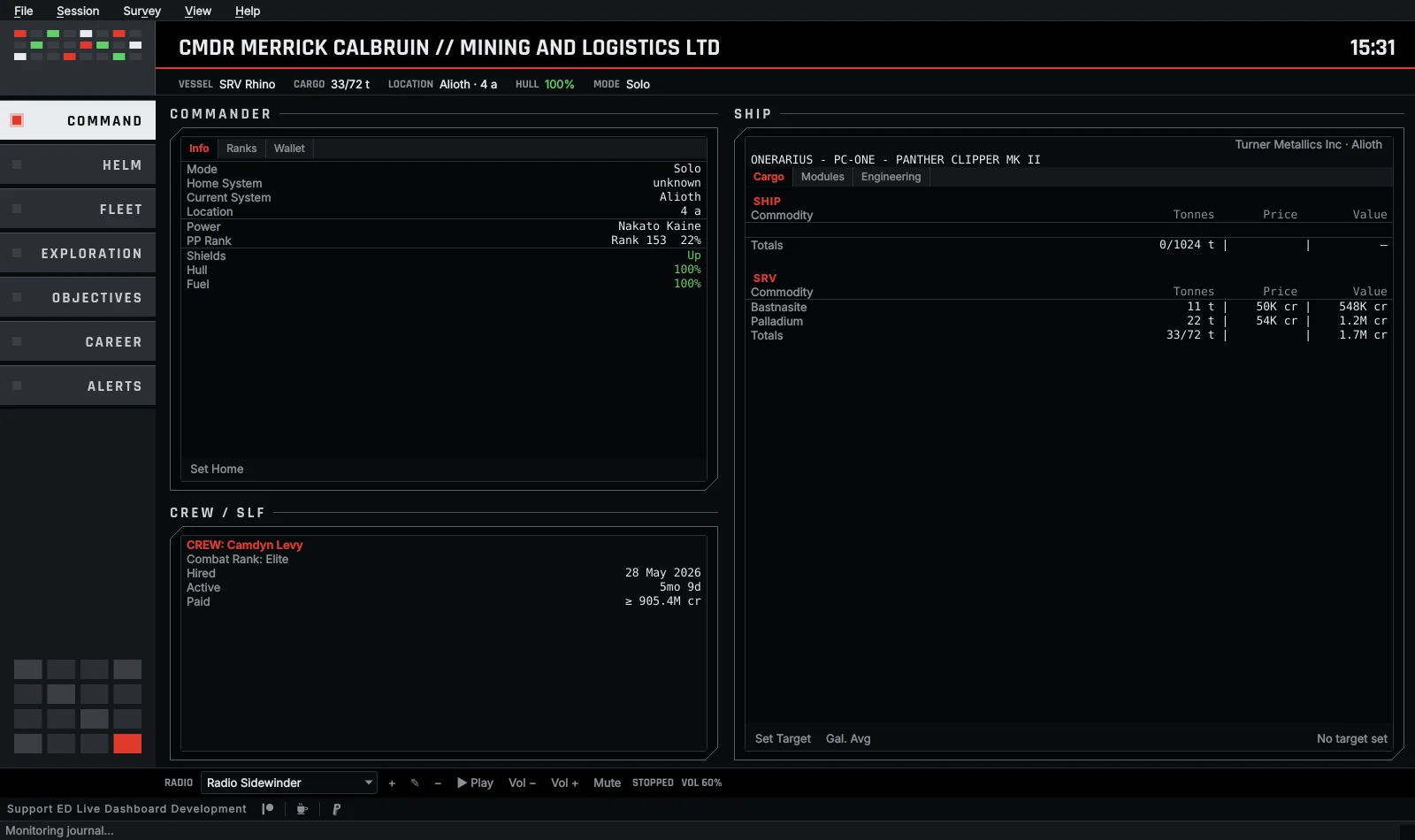
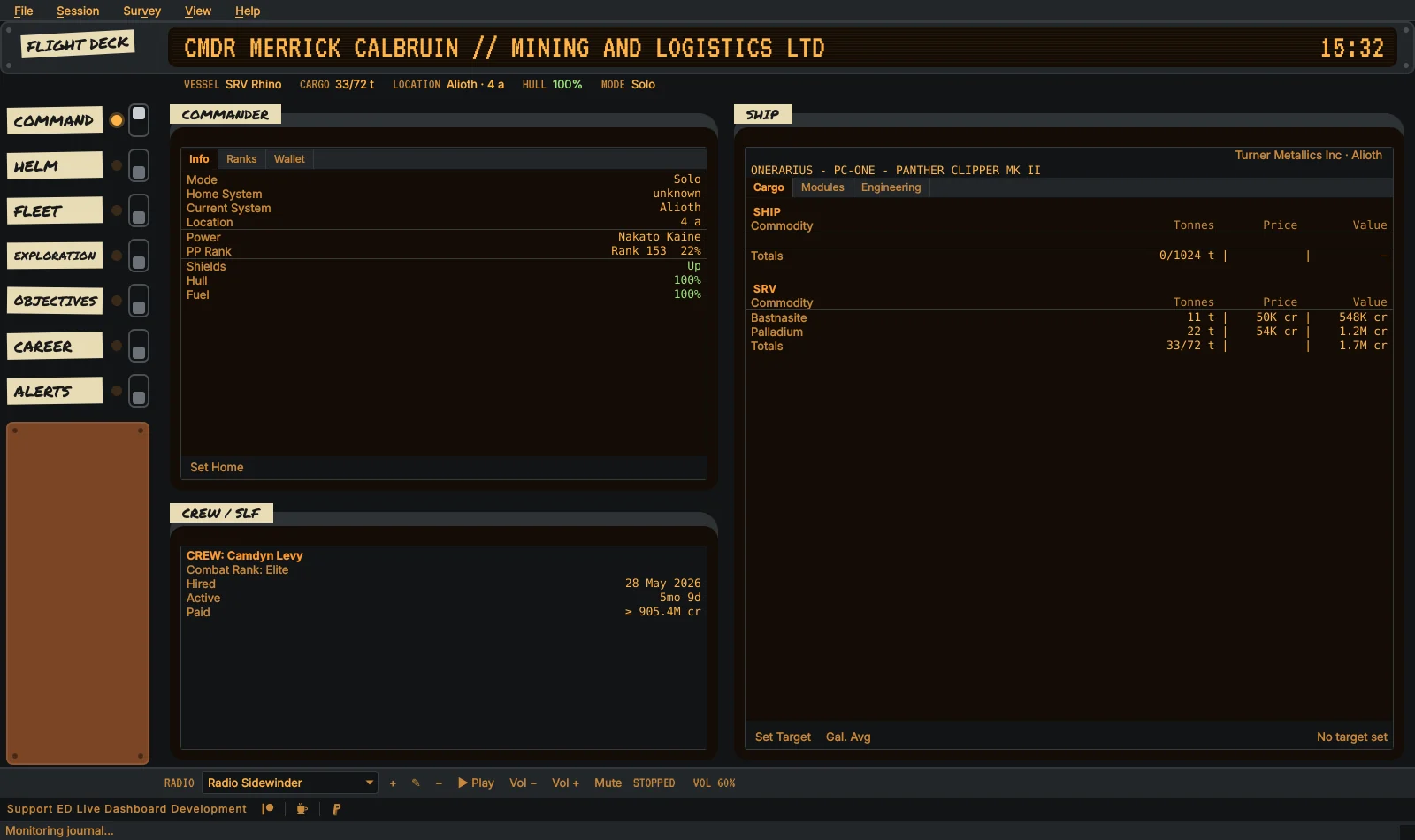
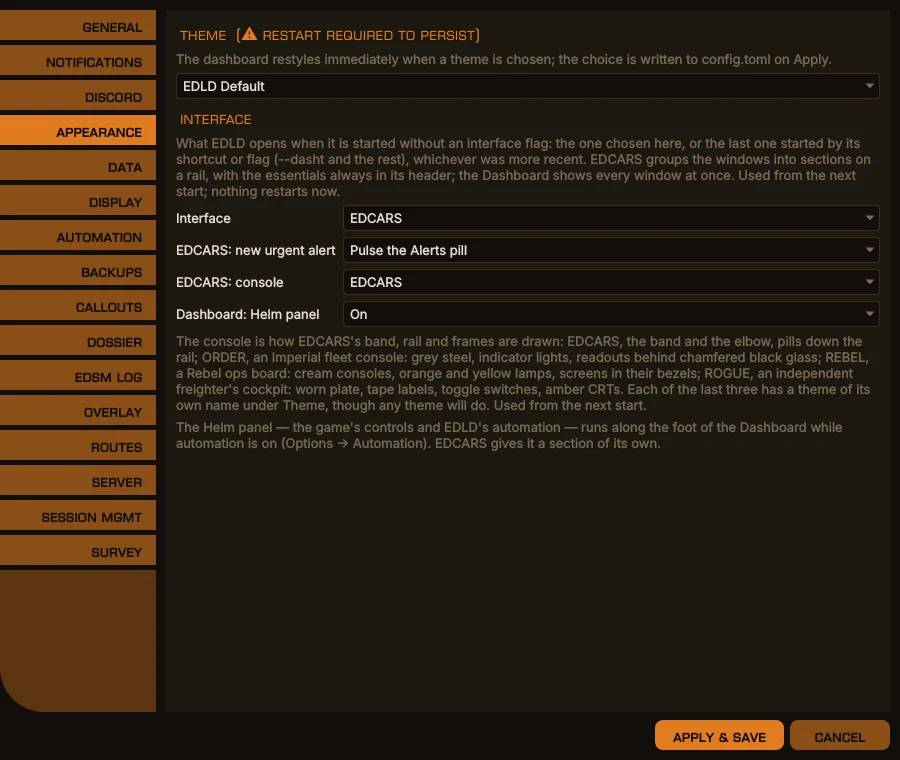
EDCARS can be drawn as four different consoles. The layout is the same in all of them: the header band, the rail’s eight sections, the same windows in the same frames, the radio and the alerts. What changes is the cockpit around them.
| Console | What it looks like |
|---|---|
| EDCARS | The band and the elbow, rounded pills down the rail, set in Euro Caps |
| ORDER | An Imperial fleet console: steel pills with indicator lights, a bank of panel lights above the rail, and every window behind black glass with its corners cut |
| REBEL | A Rebel ops board: a cream band between an orange elbow and an amber cap, cream pills with round lamps, and each screen in a cream bezel under a label plate |
| ROGUE | An independent freighter’s cockpit: riveted plate, the title on an amber CRT, sections on masking tape beside a lamp and a toggle switch, windows in CRT bezels |
In every console the current section’s lamp is lit, and an urgent alert turns the Alerts lamp red. A console’s panels keep their own paint, while the lights, screens and text follow the color theme, so any theme suits any console. Each of the three has a theme of its own name made to match it. Every dialog opened from the window, from Options to the sell table, wears the same console. Choose one in Options → Appearance.
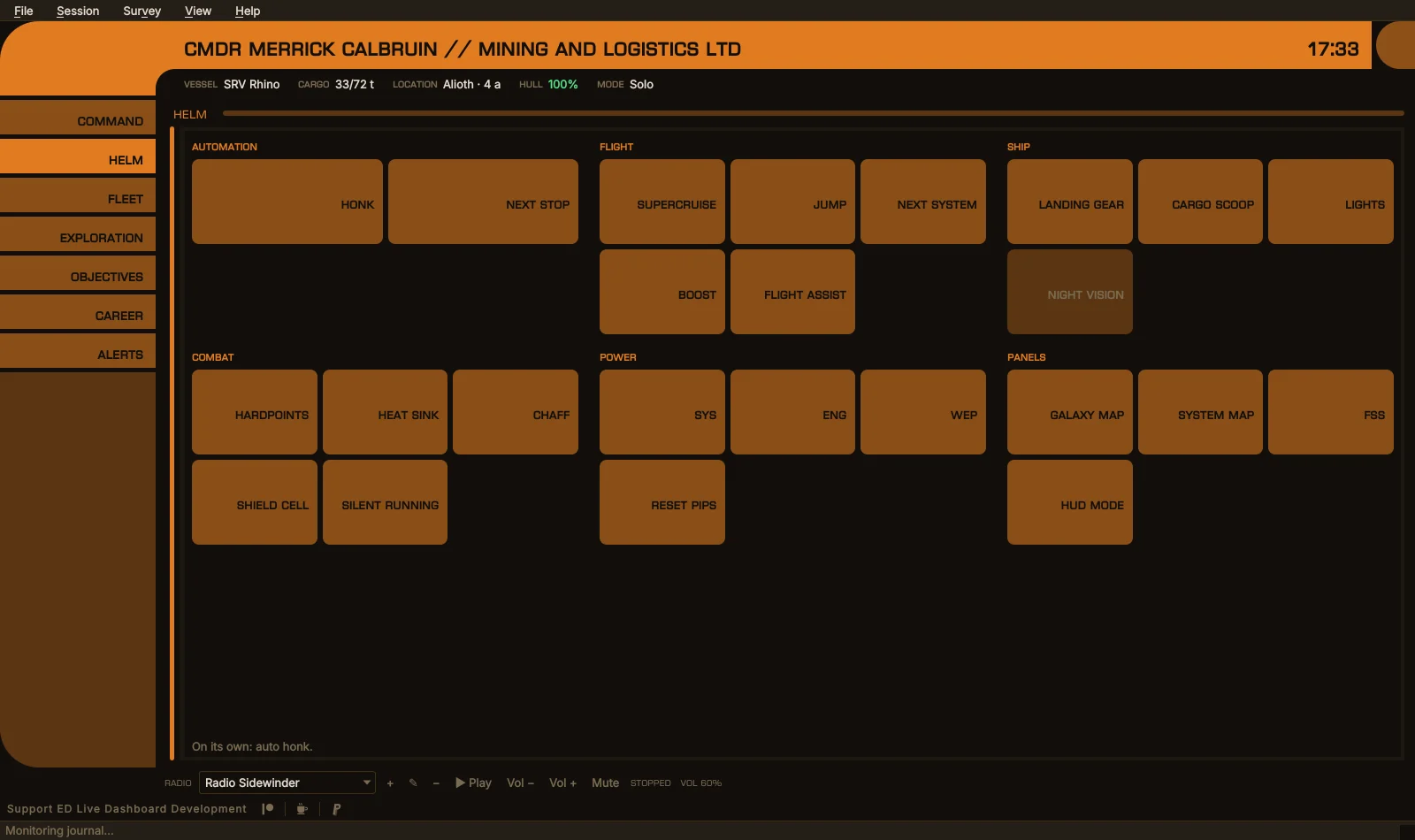
The Helm panel puts EDLD’s automation and the game’s own controls on one panel of buttons, grouped by what they are for:
| Group | Buttons |
|---|---|
| Automation | Honk the discovery scanner, in supercruise or normal space; Next stop, to plot the galaxy map to the next stop of a route EDLD planned |
| Flight | Supercruise, Jump, Next system, Boost, Flight assist |
| Ship | Landing gear, Cargo scoop, Lights, Night vision |
| Combat | Hardpoints, Heat sink, Chaff, Shield cell, Silent running |
| Power | A pip to SYS, ENG or WEP, and Reset pips |
| Panels | Galaxy map, System map, FSS, HUD mode |
In EDCARS it has a section of its own, with buttons as large as the section allows. In the Dashboard layout, on the desktop and in the terminal, it runs as a low strip along the foot of the window. On EDAM it is a section of EDCARS and a page of the Dashboard. Clicking a button brings the game to the front and presses the key for you. If a button can’t be pressed, because it isn’t bound or the ship is docked, landed or on foot, it is grayed out or says exactly why.
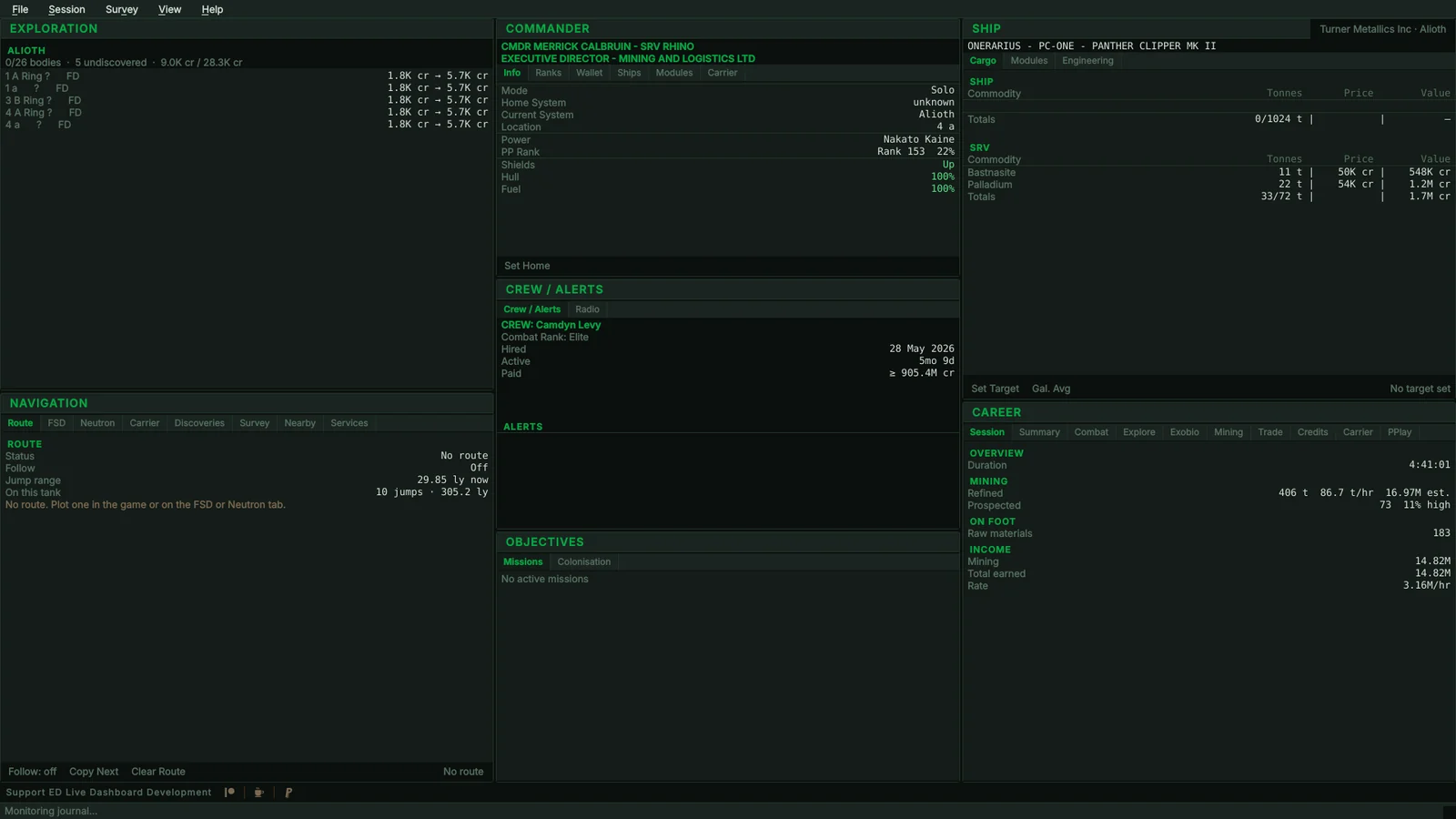
Every interface is drawn from the same description of each window, so they all show the same information; only the presentation changes. Use whichever suits the machine: EDCARS on a second monitor, the terminal dashboard over SSH, or a headless service feeding EDAM.
| Interface | Best for | Start with |
|---|---|---|
| EDCARS | A second monitor beside the game | edld (default), or edld --edcars |
| Dashboard | Most windows on screen at once, any one swapped in | edld --dashg |
| Terminal dashboard | Any terminal, including over SSH | edld --dasht |
| Terminal text | A plain scrolling event log | edld --term |
On Windows, the first run adds an EDLD folder to the Start menu with a shortcut for each interface.
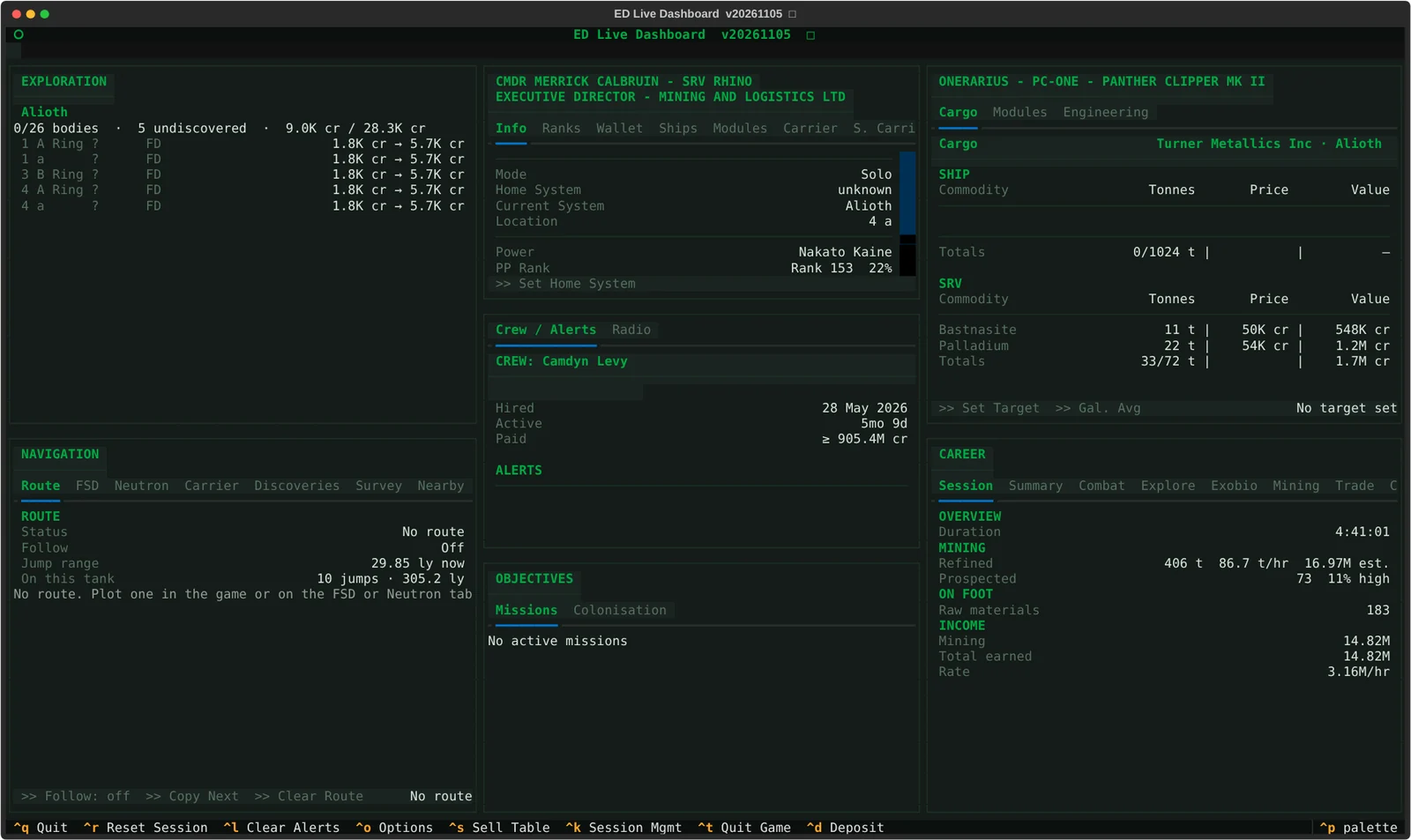
| Area | What you see |
|---|---|
| Session & career | Totals and per-hour rates for combat, trade, mining, exploration, exobiology, missions, PowerPlay and on foot, for this session and your whole career |
| Finances | A lifetime ledger built from every credit-moving event in your journal, including income the game pays without logging, so your earnings add up |
| Ship & cargo | Modules sorted so anything needing repair surfaces first; the hold sorted cheapest per ton first; materials and the Odyssey ShipLocker |
| On foot | The suit you are wearing, by name and grade, in place of the ship |
| Fleet & assets | Wallet and net worth, unredeemed vouchers and data, stored ships and modules, fleet carrier and squadron carrier |
| Exploration | Every body’s current and fully mapped value, its biology nested beneath it, drawn from a catalog of every body you have ever scanned |
| Objectives | Every mission in a table for its kind, massacre stacks summarized by faction, the ore a mining mission needs that is already in your hold or on your carrier, and colonization sites with what they still need |
| Mining | Ring hotspots with ring type, reserve level and what overlaps them, and surface sites with amount, density and notes |
| Crew & alerts | NPC crew, ship-launched fighters, and a feed of everything that needs your attention |
The Route tab shows the route you are flying: where you are on it, jumps and distance left, and every system ahead with its star class and leg length. Ranges come from your ship’s own drive, fuel and cargo. Routes are planned with Spansh: plain FSD routes jump by jump with refueling stops, neutron routes with your drive’s supercharge, and fleet-carrier routes with tritium per jump. Each is checked as it is plotted for permit-locked systems, stretches with no scoopable star, and a tank that would run dry.
With Follow on, arriving in a system copies the next stop to the clipboard, ready to paste into the galaxy map, or the Helm panel’s Next stop plots it there for you.
Survey routes plan Road to Riches, Exomastery, Earth-like, ammonia and terraformable worlds, trade runs, or a sweep through systems you choose. As you arrive at each stop, EDLD tells you what is left to map, sample, buy or sell there. Nearby lists every known system within a radius and what you have done in each; Services finds the nearest station or carrier with the service you need. Discoveries keeps your unsold first discoveries and watches for anyone else scanning them before you sell.
EDLD calls out what matters as it happens, with a chime: an undiscovered system, a world first mapped, ground no one has set foot on, a genus new to your codex in this region, a sample run about to be lost, a motherlode, a hold nearly full, or undocking with a limpet controller and no limpets. Each callout can be turned on or off on its own.
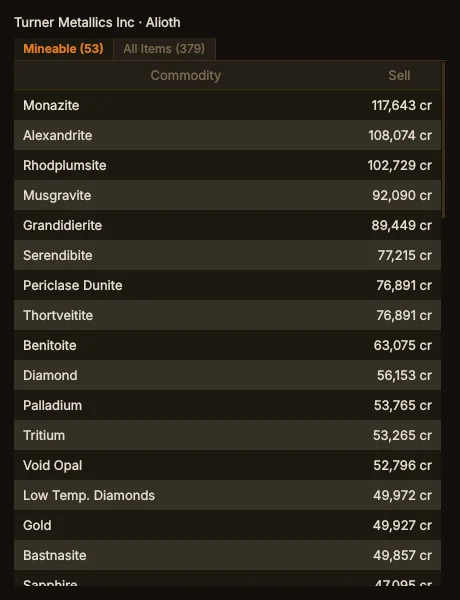
The sell table (Ctrl+S) shows what the market you are quoting pays for
every commodity, most valuable first. The Mining tab adds how long until the
hold is full, each hotspot’s hit rate, and your own yields by ring type.
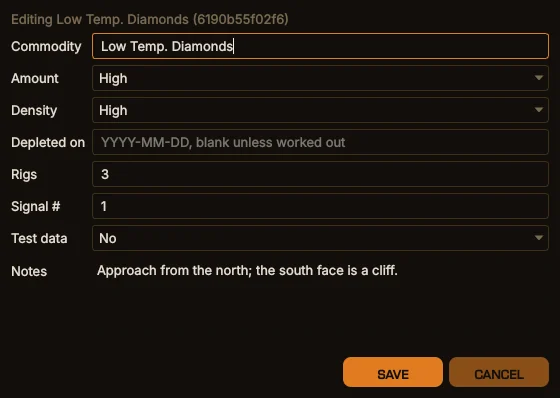
The Mining window keeps two tables. Ring Hotspots lists every hotspot your Detailed Surface Scanner has mapped, read from your journals back to your first ring map, with the ring type and reserve level from the planet’s scan and what overlaps it: a resource extraction site or another hotspot. Surface Sites lists the planetary deposits EDLD records automatically as you work them. Filter either by anything in it, double-click a cell to change it, or edit a whole row from its Edit button.
Both can be shared with your squadron through a Google Sheet of your own, so the survey compass can point at sites you have never visited and a hotspot someone else mapped shows up when you arrive in its system.
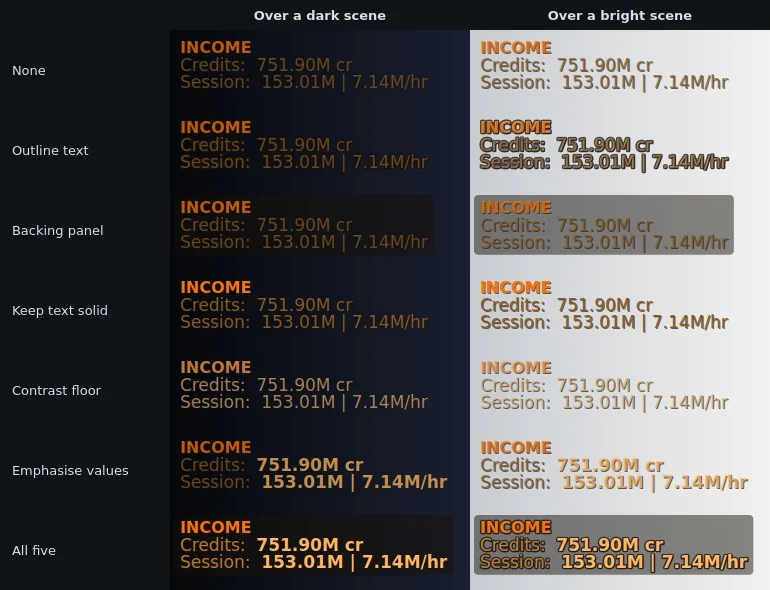
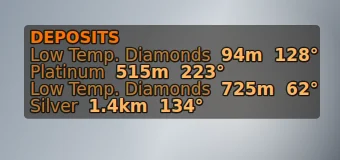
Ctrl+D)The figures worth putting on camera, drawn over the game itself: career, session, or career with the session alongside. Outlined text, backing panels and a contrast floor keep it readable over any scene, and it can step aside in combat, while docked or on foot. Linux (X11) and Windows.
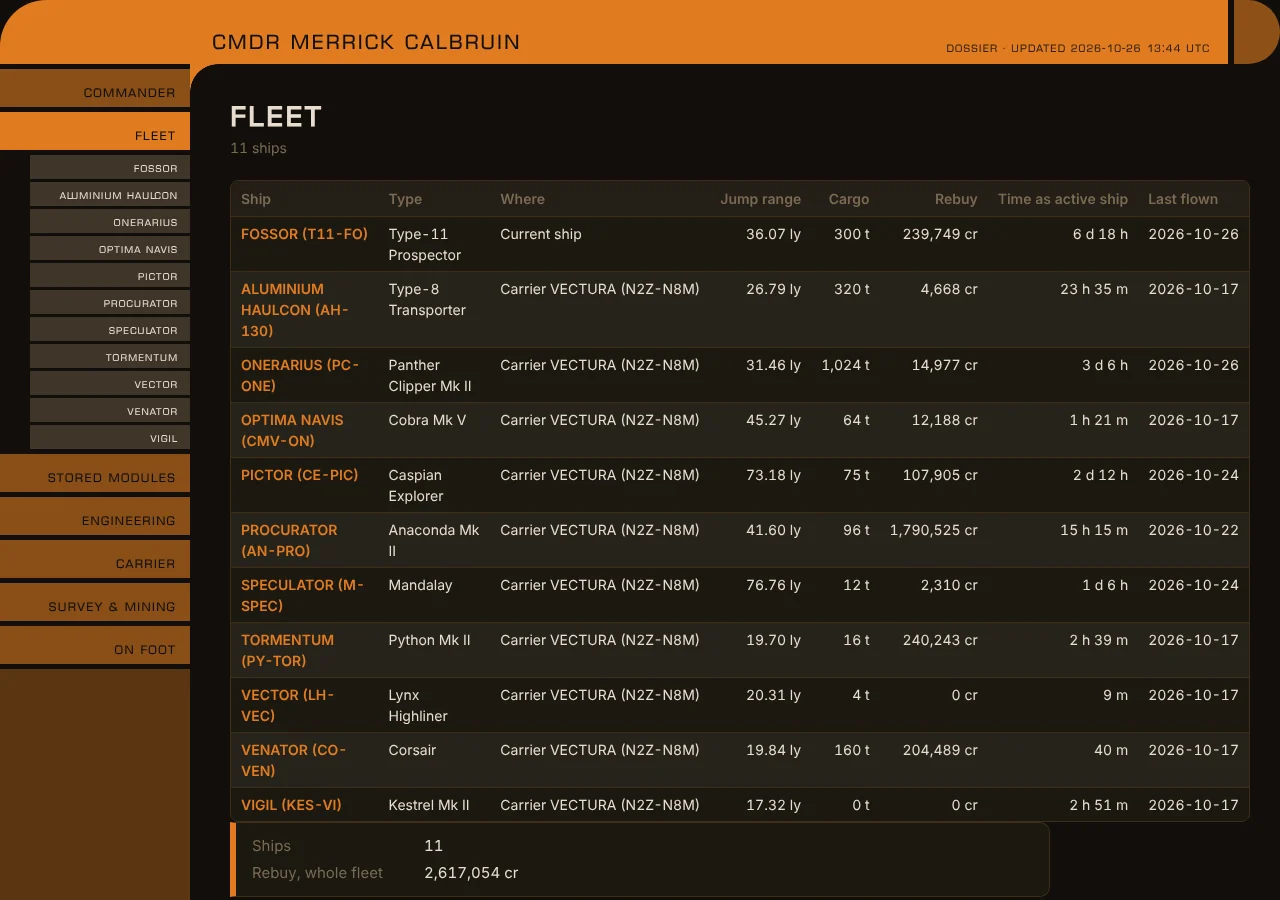
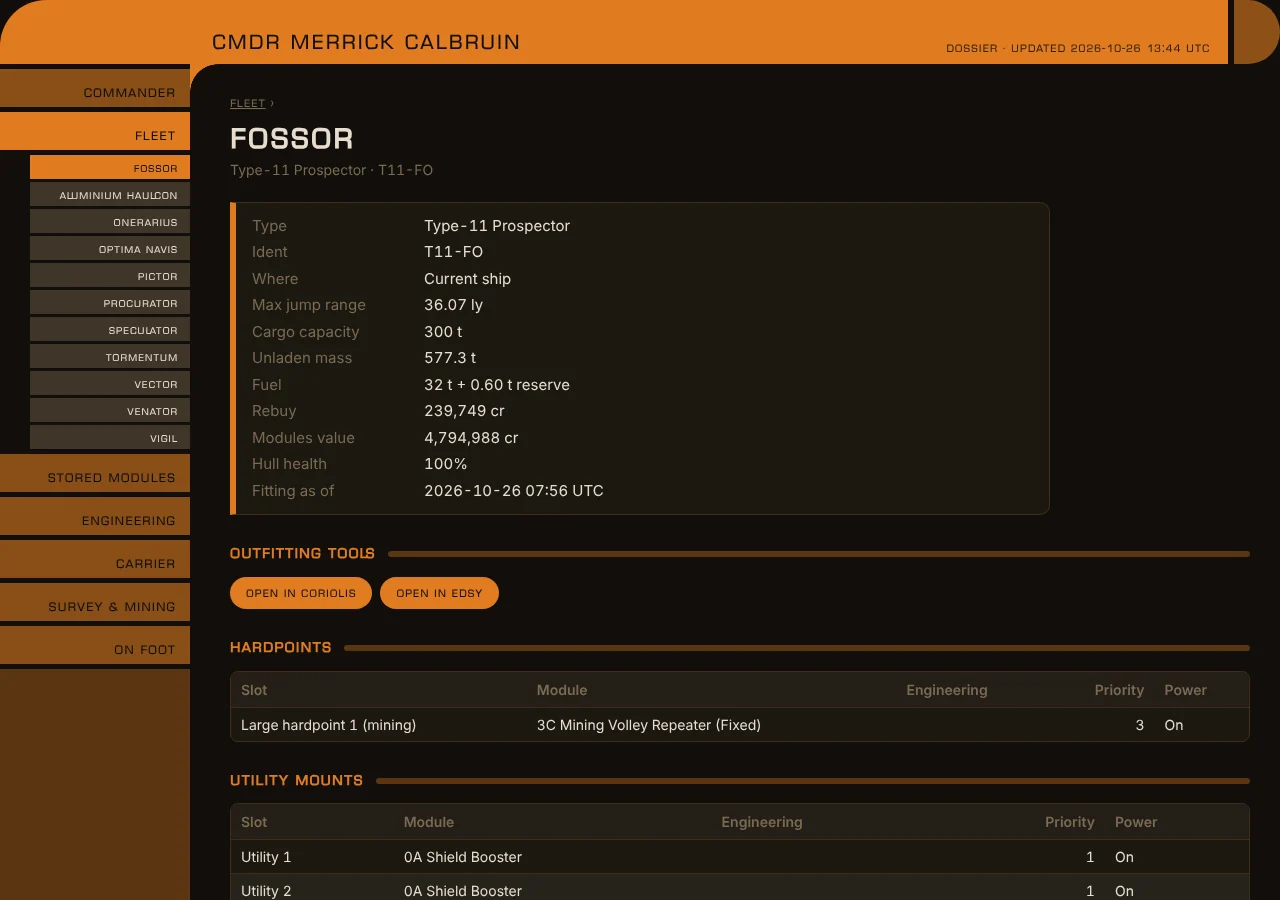
A web page and Markdown files about your commander, kept up to date: the whole fleet with every ship’s fitting and service record, stored modules, engineering, your carrier, ring hotspots, surface deposits and on-foot kit. Location and balances are left out unless you choose to include them.
Turn on server mode (Options → Server, or edld -s) and pair the
EDAM
Android app by scanning a QR code. EDAM shows the same windows on your phone
or tablet, draws EDCARS on a tablet the way the desktop does, in whichever
of the four consoles you choose, plots routes,
and puts the Helm panel in your hand. It connects directly to your computer
over TLS 1.3, with no service in between. For a computer that only serves,
the smaller EDLD-server download has no dashboards and runs as a
background service on Linux or Windows.
Optional, and off until you enable it. EDLD can honk the discovery scanner on arriving somewhere you have never honked, plot the galaxy map to the next stop after a supercharge, and press the game’s keys from the Helm panel, from EDLD’s own window or a paired EDAM. Everything goes through your own keybindings, keys and mouse buttons alike, and only while the game has the focus. Check bindings shows exactly what each feature presses, what it is bound to, and what to change.
Contribute to and draw from the tools the community already uses: EDDN, EDSM, EDAstro, Inara, Spansh and Raven Colonial. Sign in with Frontier’s Companion API for authoritative fleet, market and carrier data, and send alerts and quarter-hour summaries to your own Discord channel. Uploads go out as things happen: at every dock and undock, jump, ship or vehicle change, and loadout change. Every integration is off until you turn it on.
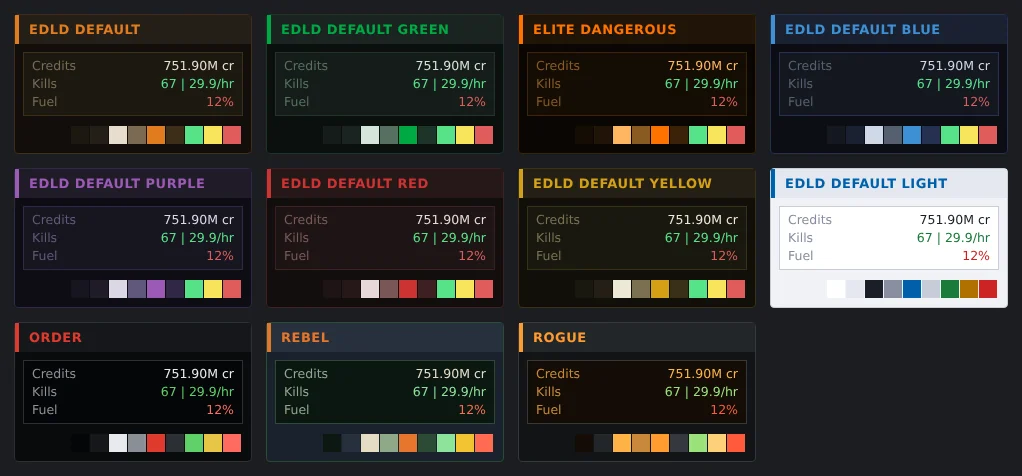
Twelve built-in color themes, plus your own, in every interface and on a paired EDAM. Options lists all of its pages in a column down the left, every one in view at once, in the desktop window and the terminal dashboard alike. Named profiles let one installation serve several commanders or several machines. A built-in radio plays Radio Sidewinder, Hutton Orbital Radio and more, and never starts on its own.
EDLD runs on your computer and reads the files the game writes there. It sends nothing to Indevlin. Once at startup it asks GitHub whether a newer release exists. Every other service it can contact is listed in EDLD’s privacy policy, with what it sends and when. EDLD also keeps a compressed backup of every journal in its own data folder, because the game never backs them up.
| Component | Requirement |
|---|---|
| Game | Elite Dangerous on PC, including under Steam/Proton on Linux |
| Windows | 64-bit (x86-64): self-contained download, no Python required |
| macOS | Apple silicon: self-contained download |
| Linux | x86-64 download, or from source with Python 3.11 or later |
| Phone | Optional: EDAM on Android 10 or later |
Windows and macOS: download the build for your platform from the releases page and run it. On Windows and under Steam/Proton, EDLD finds the game’s journal folder by itself and opens EDCARS.
Linux: download the Linux build from the same page, or install from source:
git clone https://github.com/indevlin/EDLD.git
cd EDLD
bash install.sh
./edld.py
Every release is published with a signed checksum manifest; see how to verify a download. The installation guide covers every platform in detail.
Questions, screenshots, bug reports and ideas are welcome on the Indevlin Discord, where releases are announced first. Bugs can also go to the issue tracker on GitHub.
Elite Dangerous is a trademark of Frontier Developments plc. EDLD is an independent product of Indevlin, LLC, and is not affiliated with or supported by Frontier Developments plc.
Your dashboard, wherever you are
Your EDLD dashboard on your Android phone or tablet: your ship, your session and your route at a glance, and your ship's controls within reach.